

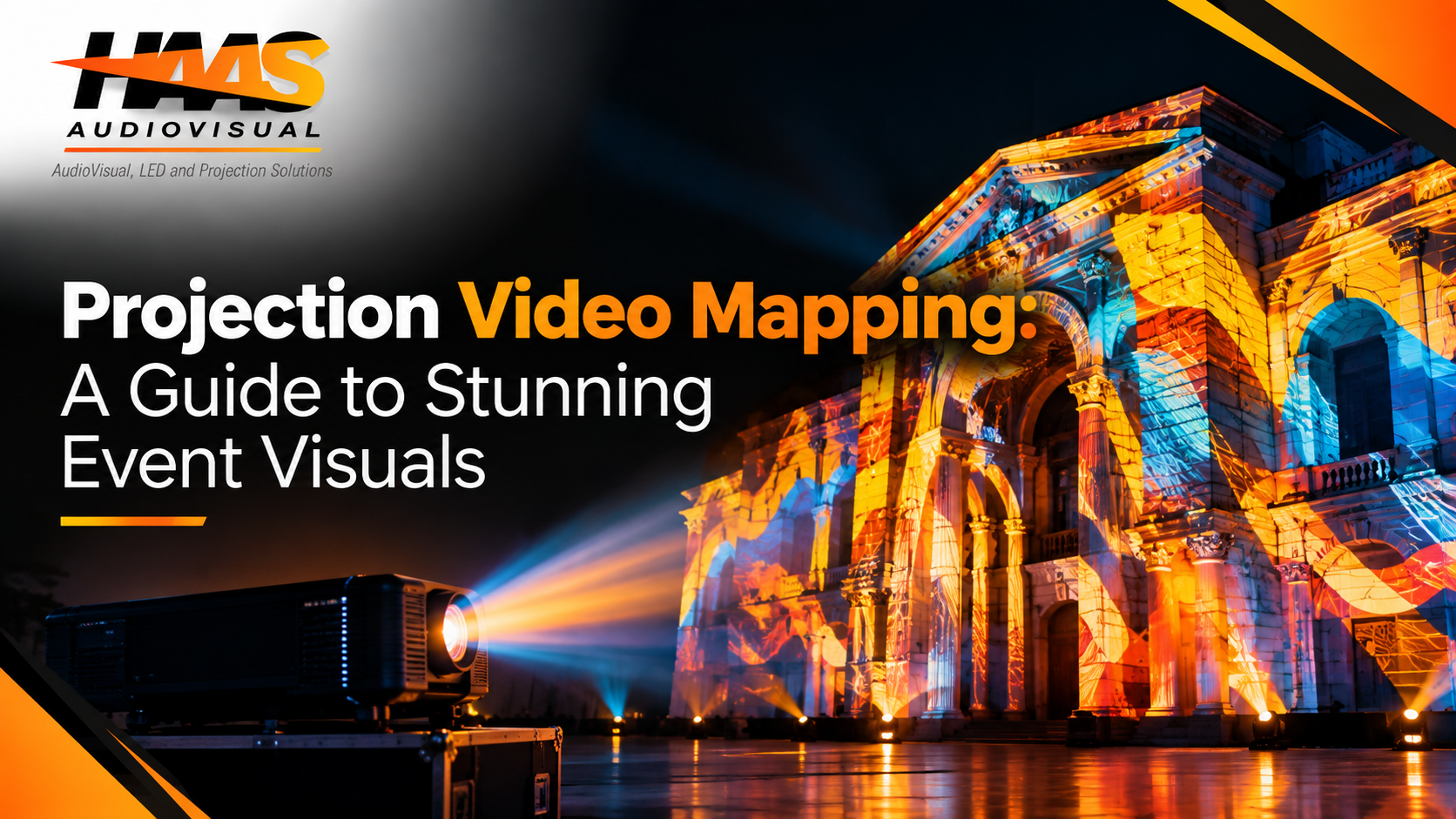
Imagine walking into a conference where the walls appear to move, a stage transforms into a completely different environment, or a building facade suddenly tells a story through light, color, and motion. That is the power of projection video mapping. Instead of treating a screen as the center of attention, this technology turns the physical environment itself into part of the visual experience.
Today, event planners, brands, producers, and creative teams use projection mapping to create moments that audiences remember long after an event ends. It can transform a corporate stage, product display, ballroom, museum, outdoor structure, or architectural landmark into a dynamic visual canvas. More importantly, it gives creative teams the freedom to build experiences around the actual shape and character of a venue.
However, great results do not happen by simply pointing a projector at a wall and pressing play. Successful video mapping requires thoughtful planning, suitable surfaces, accurate measurements, powerful equipment, carefully designed content, and precise calibration. This guide explains how the technology works, where it fits best, what equipment matters, and how to plan a professional experience without unnecessary complications.
What Is Projection Video Mapping and How Does It Work?
At its simplest, projection mapping is a technique that places digital visuals onto physical surfaces. Unlike traditional projection, which normally uses a flat rectangular screen, mapping adapts the visual content to the shape of a real-world object or structure. That object might be a stage, building, wall, sculpture, product, column, or architectural facade.
The process begins by studying the projection surface. Designers measure its dimensions, angles, curves, edges, windows, and other physical features. They then recreate or map those details digitally so the projected content lines up with the structure. As a result, an ordinary wall can appear to open, move, glow, break apart, or transform.
The technology typically combines several elements:
- A high-performance projection mapping projector
- Specialized mapping or media-server software
- Custom motion graphics and video content
- Accurate measurements or a 3D model of the surface
- Media servers and signal distribution equipment
- On-site calibration and alignment
- Proper lighting and environmental control
The goal is simple: make digital content look as if it belongs naturally to the physical environment.
For a deeper look at the technology and its event applications, you can also explore the dedicated Projection Video Mapping guide.
Why Projection Mapping Creates a Bigger Event Impact
One reason projection mapping has become so popular is that it changes the audience’s relationship with the venue. A standard screen shows content. Mapping makes the venue become the content. That difference can create a much stronger sense of immersion.
For example, a corporate event could begin with a static stage. When the keynote starts, the stage might visually expand into a digital landscape. Later, the visuals could shift into branded animations, product demonstrations, or abstract motion graphics. Instead of changing physical scenery between every segment, the production team can transform the environment digitally.
That flexibility also projects mapping useful for different event goals, including:
- Creating dramatic opening moments
- Supporting keynote presentations
- Introducing a new product
- Enhancing gala dinners and celebrations
- Building immersive brand activations
- Transforming stage environments
- Creating memorable photo opportunities
- Supporting entertainment and live performances
Most importantly, visuals should have a purpose. A beautiful animation is not automatically effective. The strongest productions connect the visuals to the event’s story, brand, audience, and atmosphere.
Explore the Main Types of Projection Mapping
Not every mapping project uses the same technique. The right approach depends on the surface, venue, audience, creative objective, and technical conditions.
Architectural projection mapping is one of the most recognizable forms. It uses buildings, facades, monuments, or large structures as the canvas. Designers can emphasize windows, columns, doors, and other architectural features to create dramatic transformations. This approach works especially well for public events, brand activations, festivals, launches, and major celebrations.
3D projection mapping takes the concept further by working with depth and complex geometry. Instead of treating the surface as a simple flat plane, the content is designed around three-dimensional structures. This allows designers to create illusions of movement, depth, destruction, construction, or transformation.
Another exciting option is interactive projection mapping. Here, visuals can respond to movement, touch, sound, sensors, or other inputs. For example, guests might walk across a projected floor and trigger animated effects. At a product activation, audience movement could change the visuals around a display.
Other common applications include:
- Stage and scenic mapping
- Product mapping
- Immersive room experiences
- Museum and exhibition installations
- Retail experiences
- Concert visuals
- Wedding and entertainment environments
Each format has its own creative and technical requirements, so the event concept should guide the technology rather than the other way around.
Choose the Right Surface Before Choosing the Equipment
A common mistake is to choose the projector first and think about the surface later. In reality, the surface should be one of the first things you evaluate.
Light-colored, matte surfaces usually provide more predictable results because they reflect projected light effectively. Dark, glossy, highly reflective, or heavily textured materials can make the image harder to control. However, that does not automatically mean difficult surfaces are impossible. Experienced designers can adapt the content and technical setup to work with challenging environments.
You should also consider the surrounding environment. Ambient light can reduce contrast and make colors appear weaker. Outdoor installations bring additional concerns, such as weather, distance, rigging, power, and audience sightlines.
Before finalizing a concept, check:
- Surface size and shape
- Surface color and texture
- Projector throw distance
- Ambient lighting
- Audience viewing positions
- Possible obstructions
- Available rigging locations
- Power and signal requirements
- Indoor or outdoor conditions
A detailed venue survey can prevent expensive surprises later. It also helps the production team determine whether projection is the best solution or whether a combination of projection, LED displays, lighting, and scenic elements would produce a better result.
How to Select the Right Projection Mapping Projector
The projector is one of the most important parts of a mapping system. However, brightness alone does not determine whether a projector is right for the job.
A professional projection mapping projector must match the size of the surface, viewing distance, ambient light, lens requirements, resolution, and creative goals. A small indoor installation may require a very different system from a large outdoor architectural display.
Throw distance is particularly important. If the projector cannot be positioned correctly, the image may not cover the required surface or may create unwanted distortion. Lens selection also matters because different lenses provide different projection angles and throw ratios.
For larger productions, multiple projectors may be necessary. When several projectors cover one large surface, technicians can use warping and edge blending to create one continuous image. Careful alignment is essential because even a small mismatch can become obvious on a large facade.
A professional equipment evaluation should consider:
- Brightness requirements
- Native resolution
- Lens options
- Throw ratio
- Contrast
- Projector placement
- Number of projectors
- Edge-blending capabilities
- Backup equipment
- Signal and media-server compatibility
This is one area where professional projection mapping services can save significant time. Instead of guessing which equipment will work, an experienced AV team can evaluate the venue and build the system around the actual conditions.
Design Content That Works With the Architecture
Technology gets attention, but content creates the experience.
Great projection content does not simply cover a surface with animation. It works with the architecture. For example, a designer might use a building’s windows as visual frames, columns as moving borders, or stage structures as part of a digital illusion.
Content should also support the event’s message. At a product launch, the visuals might gradually reveal product features. At a corporate conference, motion graphics could reinforce the company’s identity. At a celebration, the content could create a completely different atmosphere without physically changing the room.
Keep readability and pacing in mind, too. Fast-moving visuals may look impressive but can become tiring if used continuously. Similarly, placing small text over complicated animations can make important information difficult to read.
A strong content workflow usually includes:
- Creative concept development
- Storyboarding
- Surface mapping
- 3D or 2D content creation
- Animation and motion design
- Brand integration
- Audio synchronization
- Technical previews
- Final rendering and testing
The best result comes from collaboration between creative designers and technical production teams. When those two sides communicate early, the content becomes both visually exciting and technically achievable.
Plan the Production Process Before Event Day
Projection mapping should never be treated as a last-minute visual effect. The earlier it enters the event planning process, the more creative and technical options you will have.
Start by defining the event objective. Ask what you want guests to feel, understand, or remember. Then evaluate the venue and identify the surfaces that could become part of the experience.
After that, build a technical plan. The plan should account for projector positions, lenses, signal paths, power, media servers, content specifications, crew access, safety, and backup equipment.
A practical workflow looks like this:
- Define the event objective.
- Survey the venue and projection surfaces.
- Capture measurements, photos, or 3D data.
- Develop the creative concept.
- Select the appropriate equipment.
- Create and test the mapped content.
- Build the technical system.
- Calibrate and align the projectors.
- Run a full rehearsal.
- Make final adjustments before guests arrive.
This process may sound extensive, but it protects the quality of the final experience. It also reduces the risk of discovering a major alignment or visibility problem during the live show.
For event planners comparing projection with other visual technologies, this projection mapping vs. traditional projection guide can help clarify which approach makes sense for different event goals.
Make Projection Mapping More Effective With Sound and Lighting
Projection mapping rarely works best on its own. When visuals, audio, and lighting are designed together, the audience experience becomes much more cohesive.
Imagine a product reveal where the room gradually becomes darker. A sound cue builds anticipation. The projection begins moving across the stage, and the product appears through a synchronized visual sequence. At the exact reveal moment, the lighting changes and the music reaches its peak.
That combination creates a much stronger emotional response than a projection playing independently in the background.
However, integration requires balance. Bright stage lighting can wash out projections, while overly loud audio can distract from an important visual sequence. Therefore, production teams should coordinate all systems during rehearsal.
Successful integration often includes:
- Synchronized sound effects
- Music-reactive visuals
- Coordinated stage lighting
- Camera feeds
- Live content
- Presenter cues
- Time-coded playback
- Lighting transitions
The goal is not to make every technology compete for attention. Instead, each element should support the same story.
Avoid These Common Projection Mapping Mistakes
Projection mapping can create spectacular results, but poor planning can quickly undermine the effect. Fortunately, many common mistakes are avoidable.
One of the biggest problems is ignoring ambient light. A concept may look amazing in a dark test environment but lose much of its impact when the actual venue lights are turned on.
Another issue is designing content before understanding the physical surface. If the creative team does not have accurate dimensions or geometry, the final visuals may not align correctly.
Other mistakes include:
- Choosing equipment based only on price
- Underestimating setup and calibration time
- Using low-resolution content on a large surface
- Ignoring audience viewing angles
- Overloading visuals with unnecessary movement
- Forgetting backup playback or equipment
- Testing only the projector and not the complete system
- Leaving technical decisions until the final week
There is also a creative mistake worth mentioning: using projection mapping simply because it looks impressive. If the visual effect does not support the event, it can become a distraction.
Instead, start with the story and then determine how projection can make that story stronger.
When Should You Hire Professional Projection Mapping Services?
Small projection experiments can be handled by creative teams with the right software and equipment. However, large-scale events introduce more variables. Multiple projectors, complex surfaces, live content, outdoor conditions, synchronization, and strict event schedules all increase technical demands.
That is where professional projection mapping services become valuable. A professional team can handle the process from initial concept and venue evaluation through equipment selection, content coordination, calibration, operation, and troubleshooting.
Professional support is especially useful when:
- The projection surface is large or complex.
- The event has a tight production schedule.
- Multiple projectors are required.
- The visuals need precise synchronization.
- The installation takes place outdoors.
- The event includes live content or interaction.
- The mapping needs to integrate with lighting and audio.
- The experience is central to the event’s success.
If you are planning a corporate event, brand activation, conference, gala, or immersive experience, Haas Audiovisual provides audiovisual production solutions that can help bring complex event concepts together.
The right production partner should do more than provide equipment. Look for a team that understands creative direction, technical planning, venue limitations, show flow, and live event execution.
Create an Experience Your Audience Will Remember
Ultimately, projection mapping is not really about projectors. It is about transforming a physical environment into part of the story.
A successful experience starts with a clear goal, uses the venue intelligently, and combines creative content with reliable technology. Whether you are mapping a stage, building facade, product, or immersive room, every technical decision should support the audience experience.
At the same time, you do not need to map an entire venue to create an impressive result. A carefully designed entrance, stage, product display, or architectural feature can become the visual centerpiece of an event.
As projection technology continues to improve, event designers have even more opportunities to create responsive, immersive, and memorable environments. However, the fundamentals remain the same: understand the space, plan carefully, design meaningful content, choose the right equipment, and rehearse before the audience arrives.
When those pieces come together, projection video mapping can turn an ordinary event space into something people genuinely remember.
Final Thoughts
Projection video mapping gives event professionals a powerful way to rethink how audiences experience a space. Instead of simply adding another screen, it can transform walls, stages, buildings, products, and architectural features into dynamic storytelling tools.
The key is to think beyond the visual effect. Start with your event objective, understand your venue, choose the right technology, and create content that works with the physical environment. Then, test everything before showtime.
With thoughtful planning and professional execution, projection mapping can do more than make an event look impressive. It can create an atmosphere, support a story, strengthen a brand, and give attendees a moment they will want to remember and share.
FAQs
What is projection video mapping?
Projection video mapping is a visual technique that projects specially designed content onto physical surfaces such as buildings, stages, walls, products, and three-dimensional objects. The content is precisely aligned with the surface so the structure appears to transform.
Is projection mapping the same as traditional projection?
Not exactly. Traditional projection usually displays content on a flat screen or rectangular surface. Projection mapping adapts content to irregular or three-dimensional surfaces, allowing the physical environment to become part of the visual experience.
What is 3D projection mapping used for?
3D projection mapping is commonly used for buildings, stage structures, sculptures, products, and immersive environments. It can create the illusion of depth, movement, structural changes, and other visual transformations.
Can projection mapping be interactive?
Yes. Interactive projection mapping can respond to movement, touch, sensors, sound, cameras, or other inputs. This makes it useful for brand activations, exhibitions, museums, entertainment experiences, and interactive event installations.
What projector is best for projection mapping?
There is no single projector that works for every project. The right choice depends on surface size, ambient light, throw distance, lens requirements, resolution, and the number of projectors needed. A professional assessment can help determine the appropriate equipment.

Related Posts
One Comment